

Your business may be small. Your data is not.
Customer records, payroll, accounting systems, contracts, email, inventory, medical information, and intellectual property all represent leverage to a ransomware group. Once attackers encrypt those systems, they do not care whether you have five employees or 500.
In August 2026, reporting from New York has pointed to ransomware attacks on NYC small businesses tripling year over year. At the same time, cyber insurers are tightening requirements, raising questions, and scrutinizing the controls businesses have in place before offering or renewing coverage.
The message is clear: your backup strategy is now part of both your cybersecurity defense and your insurability.
If your backups can be deleted, encrypted, or altered by an attacker, they are not a reliable recovery plan. You need an immutable backup.
The ransomware threat is accelerating : and small businesses are in the crosshairs
Ransomware operators no longer focus only on large corporations. Small businesses are attractive because they often have:
- Limited internal IT resources
- Older servers and unsupported hardware
- Remote access tools with excessive privileges
- Flat networks that allow malware to spread quickly
- Backups that remain connected to production systems
- Little time or money available for prolonged downtime
Recent 2026 industry reporting shows the broader ransomware environment worsening. Global incidents increased by nearly 20% between June and July 2026, while other reporting recorded a 48% year-over-year increase in published attacks in May. Small businesses continue to represent a disproportionate share of victims.
The NYC tripling figure is an urgent local warning, even though attack counts can vary depending on how incidents are reported and measured. You should not wait for a perfect statistic before acting. Your business only needs to be hit once.
A realistic NYC scenario
Imagine you run a 20-person professional services firm in Midtown. An employee’s Microsoft 365 credentials are stolen through a convincing phishing email. The attacker uses that account to access a remote management tool, moves through the network, and encrypts your file server overnight.
Your backup software reports that jobs completed successfully.
But when your IT provider checks the backup repository, the newest restore points are encrypted too. The attacker found the backup administrator’s credentials and deleted the remaining copies.
You still “had backups.” They simply could not save you.
That is the difference between having a backup and having a recoverable business.
What is immutable backup?
So, what is immutable backup technology?
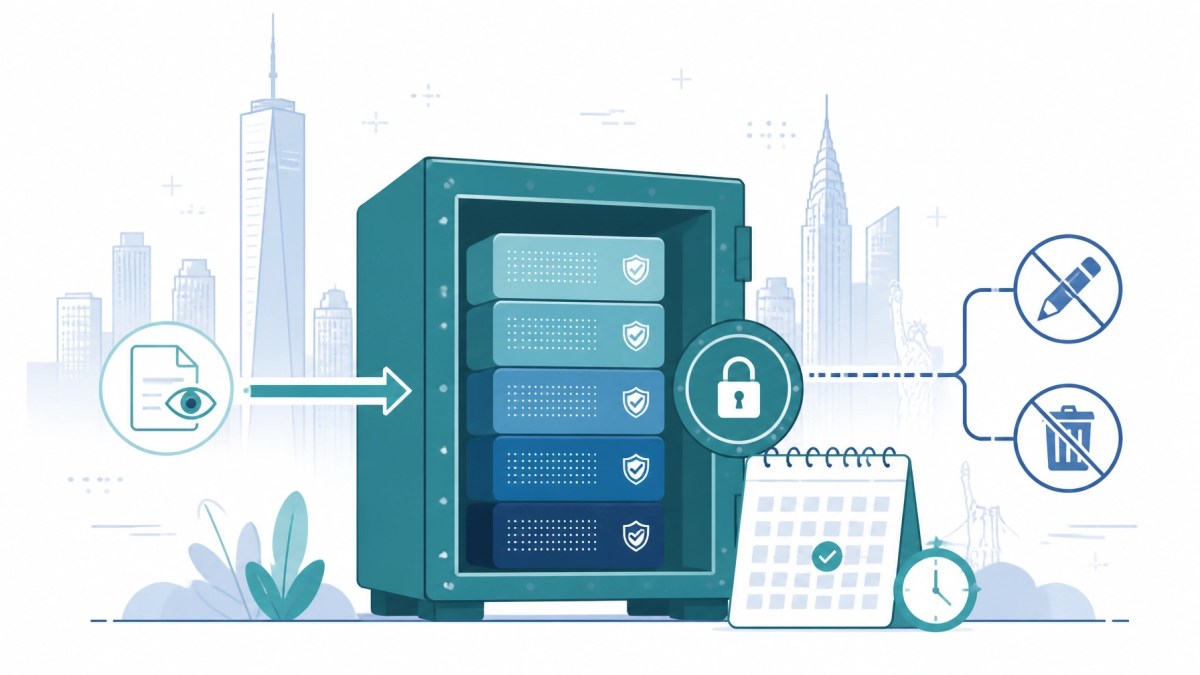
An immutable backup is a protected copy of your data that cannot be changed, overwritten, or deleted during a defined retention period. The protection remains in place even if an attacker obtains administrative access to your network or backup console.
Immutable backup storage commonly uses technologies such as:
- WORM: Write Once, Read Many storage that prevents alteration
- Object Lock: Cloud-based protection that locks backup objects until their retention period expires
- Retention policies: Rules that prevent deletion before a specified date
- Role-based access: Permissions that limit who can manage or remove backups
- Separate credentials and MFA: Additional barriers around backup administration
In plain English, immutable backup puts your recovery data in a digital vault. Your production systems can be attacked. Your backup can still remain clean and available for restoration.
Immutable backup is not the same as an ordinary cloud backup
Cloud storage alone does not automatically make a backup immutable.
A standard cloud backup may still be vulnerable if:
- It uses the same administrator credentials as your production environment
- Users can delete files or retention points
- The backup repository is continuously connected to your network
- Retention policies are not enforced
- No one tests whether the data can actually be restored
You need to confirm exactly how your backup platform protects data from privileged users and compromised accounts.
For the strongest defense, combine immutability with logical or physical isolation. An isolated copy : often called an air-gapped backup : creates additional separation between your live environment and your recovery data.
Our related guide, “Ransomware in the City: Why Manhattan Law Firms are Switching to Air-Gapped Backups”, explains why connected backups are increasingly viewed as a liability in high-risk New York environments.
Why immutable backups matter to cyber insurers
Cyber insurance is not a substitute for strong security. It is a financial safety net that may help cover incident response, forensic investigation, business interruption, legal expenses, notification costs, and data restoration.
But insurers want evidence that you can reduce the likelihood and impact of a ransomware event.
During an application or renewal, you may be asked whether your business has:
| Control | Why insurers care |
|---|---|
| Multi-factor authentication | Makes stolen passwords harder to use |
| Regular, tested backups | Shows you have a recovery option |
| Immutable or offline copies | Helps prevent attackers destroying backups |
| Endpoint protection | Limits malware execution and spread |
| Patch management | Reduces exposure to known vulnerabilities |
| Network segmentation | Stops an incident moving everywhere |
| Incident response planning | Reduces confusion and delays during an attack |
| Security awareness training | Helps prevent phishing and credential theft |
A “yes” on your backup questionnaire is not enough. You may need to explain:
- How long backups are retained
- Whether administrators can delete them
- Where backup copies are stored
- How often restores are tested
- Your expected recovery time
- Who is responsible for authorizing recovery
Immutable backups support the answers insurers want to hear because they demonstrate recoverability, not just data copying.
The New York State Bar Association also recommends maintaining an incident response plan, conducting tabletop exercises, and involving your insurance provider early if an attack occurs. Its January 2026 guidance is a useful reminder that preparation must happen before the ransom note appears.
You should also review the New York SHIELD Act obligations that may apply if your business stores private information belonging to New York residents. A ransomware incident can become a regulatory and notification problem as well as a technology problem.
Build a backup strategy ransomware cannot easily destroy
Immutable backup should be part of a wider recovery design. Use this practical framework.
1. Identify your critical systems
List the applications and data your business needs to operate:
- Accounting and payroll
- Customer relationship management
- Email and collaboration platforms
- Databases
- File shares and document management
- Point-of-sale or booking systems
- Industry-specific applications
- Virtual machines and physical servers
You cannot protect what you have not identified.
2. Define your RPO and RTO
Two technical terms matter:
- Recovery Point Objective (RPO): How much recent data you can afford to lose
- Recovery Time Objective (RTO): How quickly a system must be restored
If your RPO is four hours, daily backups are not enough. If your RTO is eight hours, a manual rebuild that takes three days will not meet your business requirement.
3. Apply the 3-2-1 principle
Maintain:
- Three copies of important data
- On two different storage types
- With one copy isolated or immutable
For ransomware protection, make sure the isolated copy is not merely on a different folder or drive. It should have separate access controls, credentials, and retention enforcement.

4. Test clean recovery
A backup that has never been restored is an assumption.
Schedule recovery tests to confirm that:
- Restore points are available
- Data is not corrupted
- Applications start correctly
- Dependencies are documented
- Recovery times match your targets
- Staff know what to do during an incident
You should also verify that the restored environment is clean before reconnecting it to your production network.
5. Protect the backup system itself
Use:
- MFA for all backup administration
- Separate administrator accounts
- Least-privilege access
- Network segmentation
- Monitoring for unusual deletion or encryption activity
- Documented retention policies
- Offline copies for your most critical systems
The NIST Cybersecurity Framework 2.0 provides a practical structure for identifying, protecting, detecting, responding to, and recovering from cybersecurity risk.
Your 30-day action plan
Do not wait for your next insurance renewal. Start now.
This week
- Ask your IT provider whether your backups are truly immutable
- Confirm who can delete backup data
- Turn on MFA for backup and remote access accounts
- Identify your three most business-critical systems
- Locate your cyber insurance policy and notification requirements
Within two weeks
- Document your RPO and RTO
- Review backup retention periods
- Separate backup administrator credentials from everyday accounts
- Check whether Microsoft 365, Google Workspace, endpoints, databases, and servers are all covered
- Create a printed incident response contact sheet
Within 30 days
- Complete a restore test from an immutable copy
- Run a ransomware tabletop exercise
- Review network segmentation and remote management tools
- Ask your insurer or broker whether your current controls meet renewal requirements
- Create a remediation plan for any gaps

Protect your business before the ransom note
Ransomware is no longer a distant threat reserved for global enterprises. It is targeting NYC small businesses now, and attackers understand that even a short outage can create immediate financial pressure.
Immutable backup gives you leverage. It helps protect your recovery data, supports cyber insurance requirements, and gives you a realistic alternative to paying criminals.
Ron Klink – Disaster Recovery Solutions helps New York businesses design and deploy enterprise-grade protection without forcing you into a one-size-fits-all model. We can assess your current environment and help implement solutions using ransomware protection, cloud-based disaster recovery, Azure Site Recovery, AWS Elastic Disaster Recovery, or IBM i Cloud Disaster Recovery.
Do not wait until your backups are attacked to find out whether they can save you. Contact Ron Klink to review your backup strategy and build a recovery plan designed for your New York business.


